> ## Documentation Index
> Fetch the complete documentation index at: https://developer.findity.com/llms.txt
> Use this file to discover all available pages before exploring further.
# Mileage expenses (standard format)
🚗
Alrighty, to create our first mileage for the user we need to check which mileage categories are available, make a call to this [endpoint](/reference/getorganizationcategories) with `expense type: CarSpecification`.
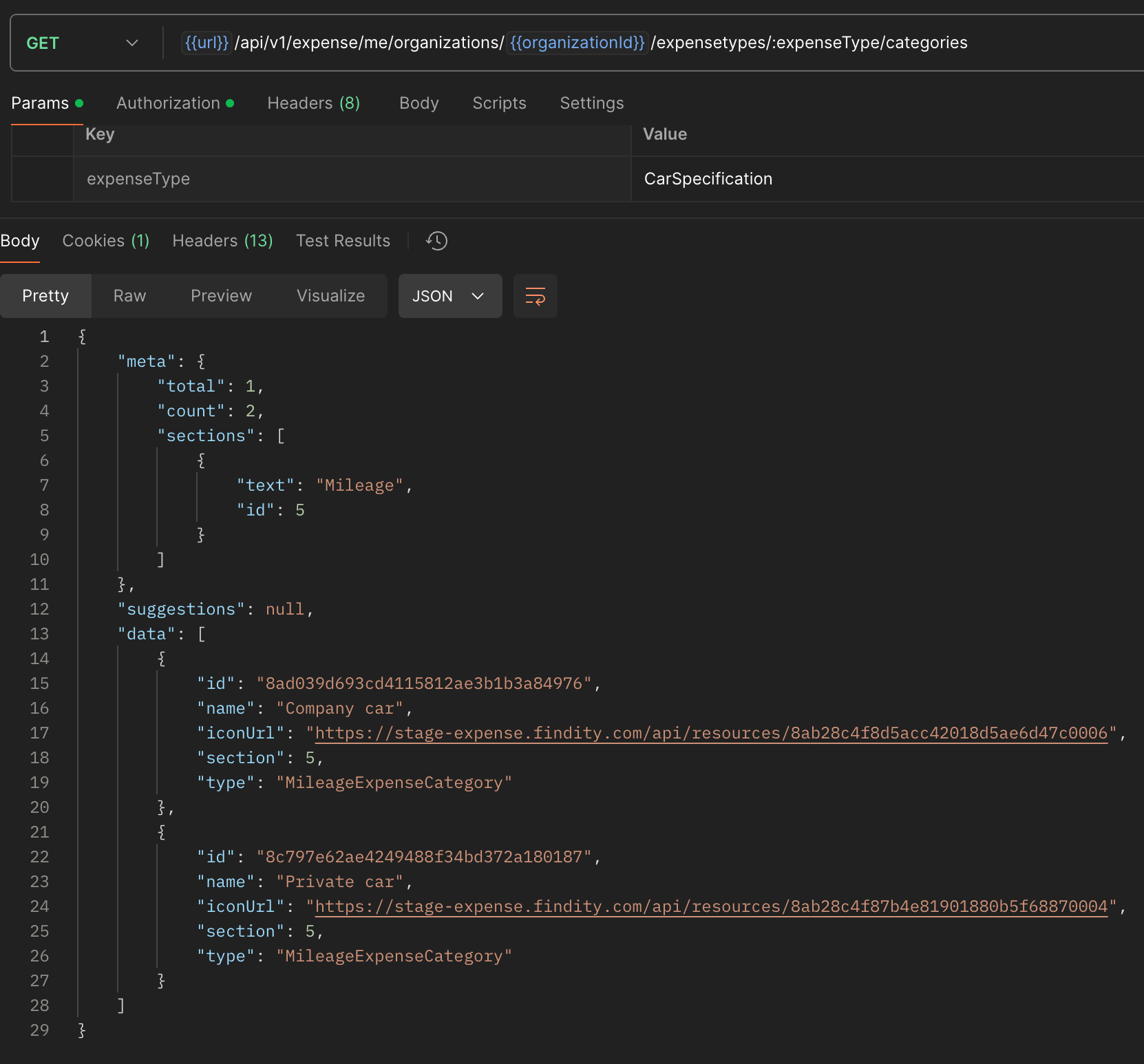 Get the `id` of the category and head over to this [endpoint](/reference/getorganizationcartypes) to see which vehicle types are available for that category. Since we can have different reimbursement configurations on vehicle type, we need this when creating the mileage.
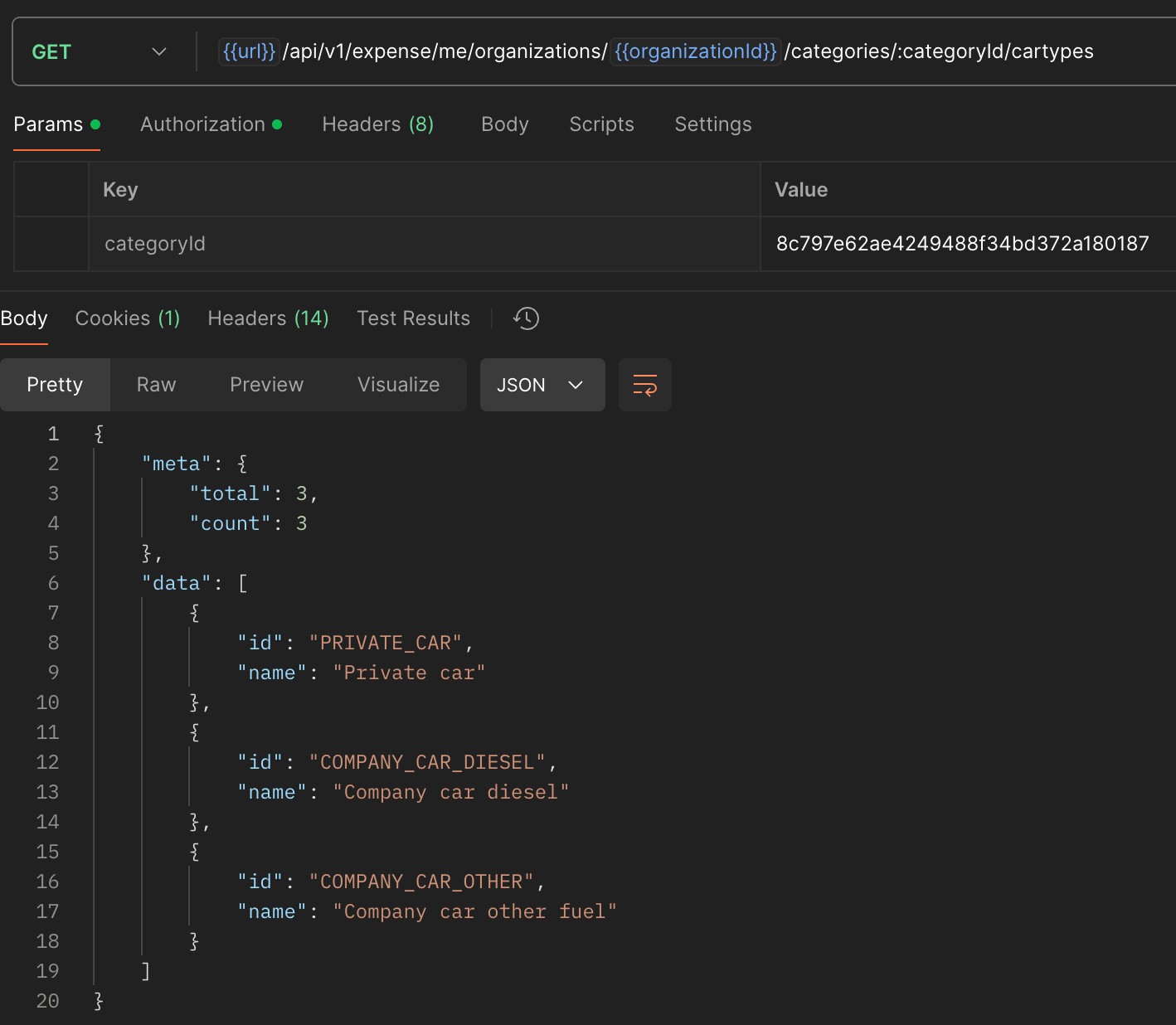 Get the `id`.
Now we are ready to create the mileage, we are going to use this [endpoint](/reference/createexpense) for that.
You need to provide at least this data:
* [ ] organizationId
* [ ] categoryId
* [ ] verification/type
* [ ] verification/description - Always good to explain why this trip was made
* [ ] verification/travelDate - And of course when it was made
* [ ] verification/distance - Without this we can't calculate the reimbursement amount
* [ ] verification/carType - Same as above
* [ ] route - Where did the trip start and where did it end? Will generate a map with the route. See this [article](/docs/mileage-route) for more info.
Get the `id`.
Now we are ready to create the mileage, we are going to use this [endpoint](/reference/createexpense) for that.
You need to provide at least this data:
* [ ] organizationId
* [ ] categoryId
* [ ] verification/type
* [ ] verification/description - Always good to explain why this trip was made
* [ ] verification/travelDate - And of course when it was made
* [ ] verification/distance - Without this we can't calculate the reimbursement amount
* [ ] verification/carType - Same as above
* [ ] route - Where did the trip start and where did it end? Will generate a map with the route. See this [article](/docs/mileage-route) for more info.
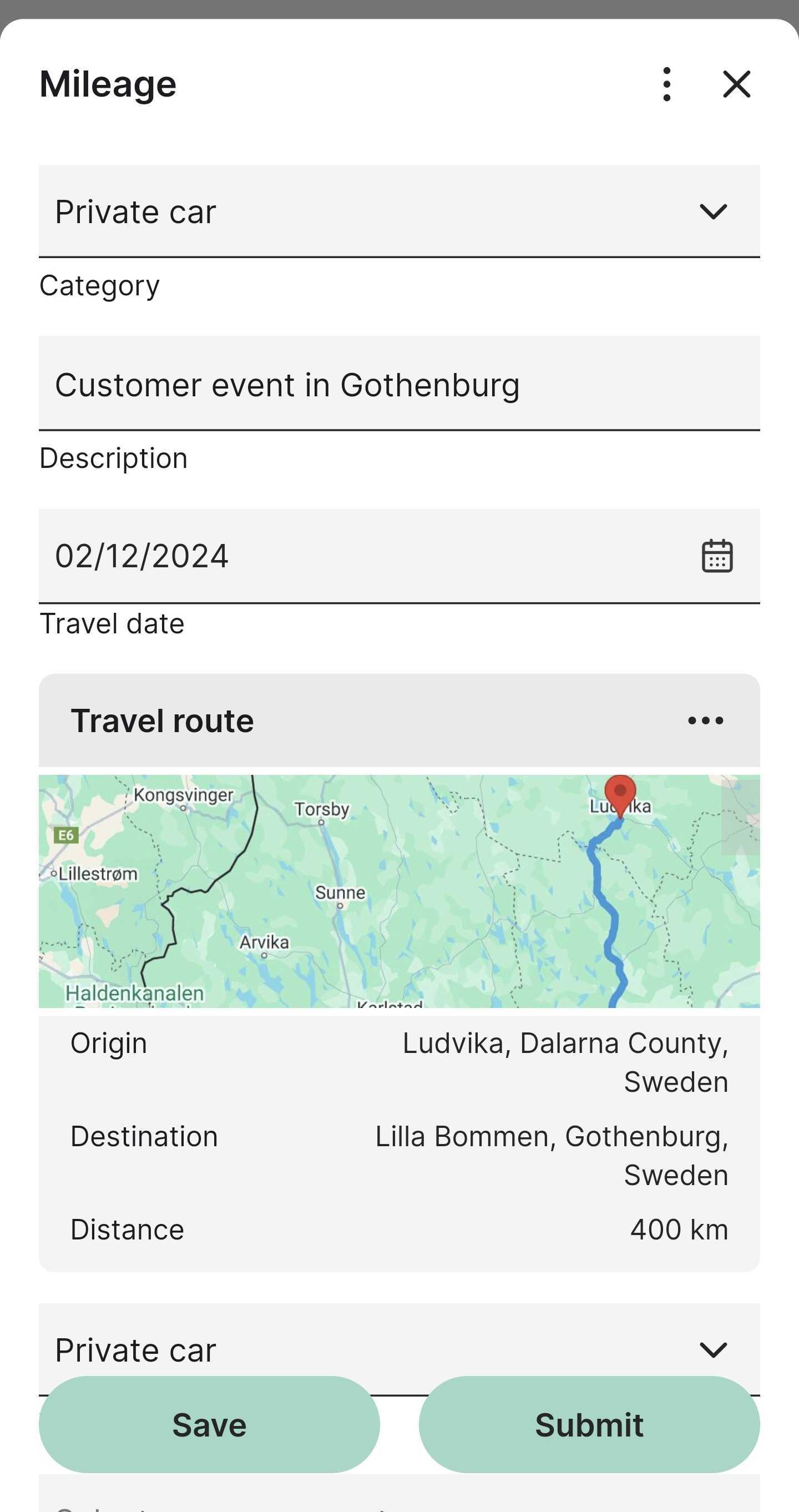
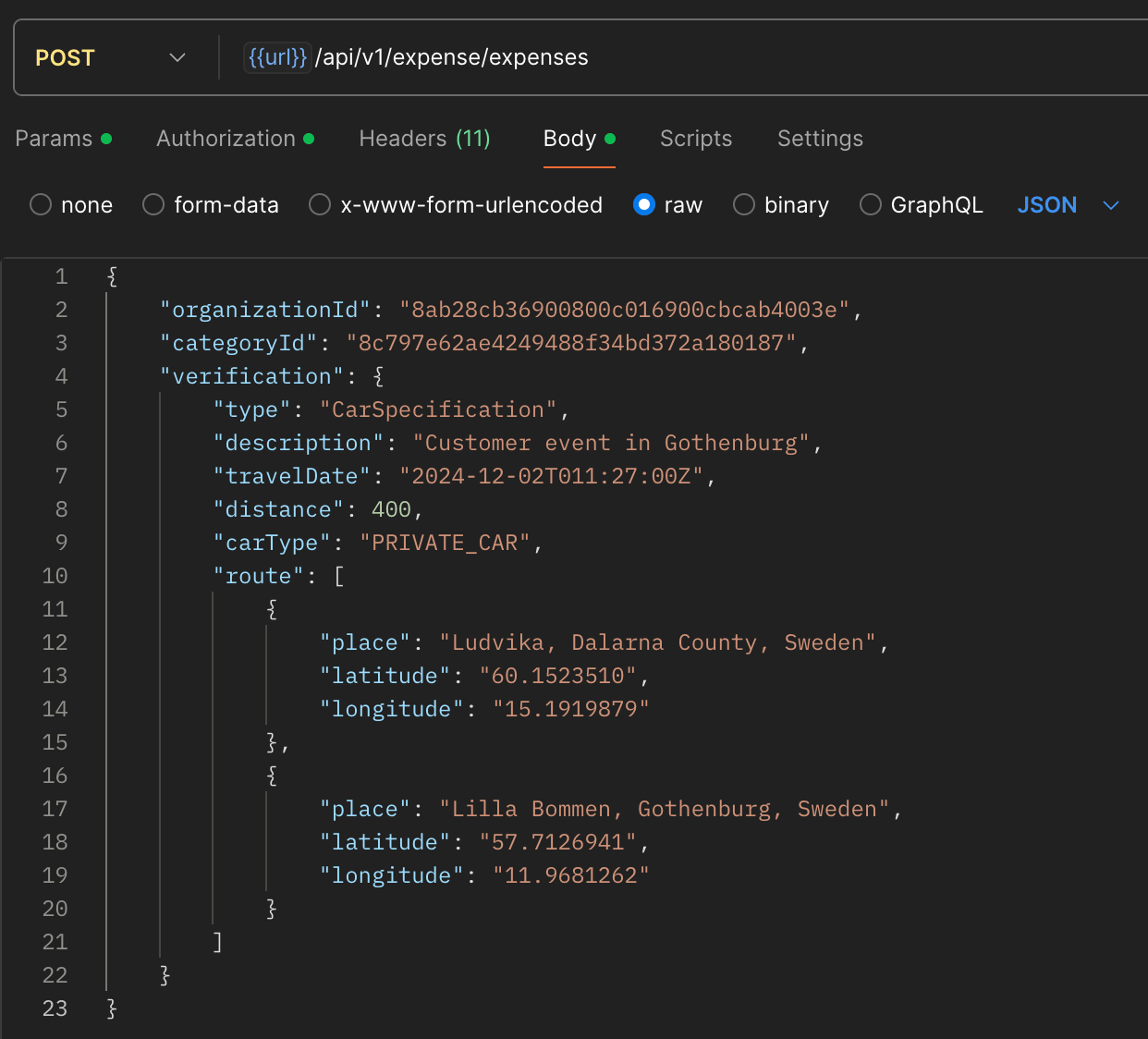 Hopefully, you will get a `201` response and a payload of the created mileage. This means that this mileage expense is visible to the user.
 ## Things goes wrong
In this example below we have added a project dimension to the user's organization, and this field is set to mandatory on mileages. This results in a validation error that is sent back in the response.
## Things goes wrong
In this example below we have added a project dimension to the user's organization, and this field is set to mandatory on mileages. This results in a validation error that is sent back in the response.
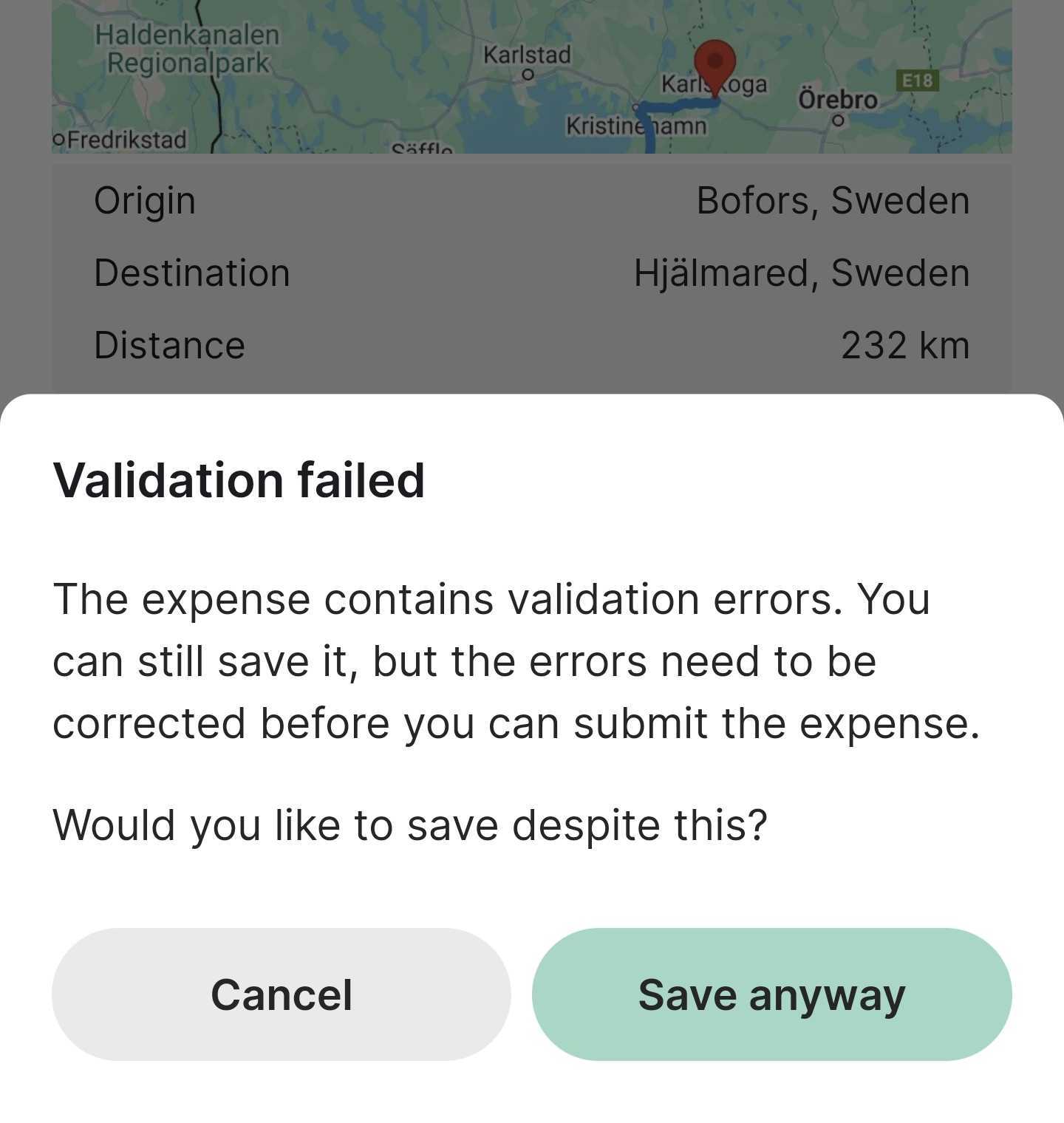
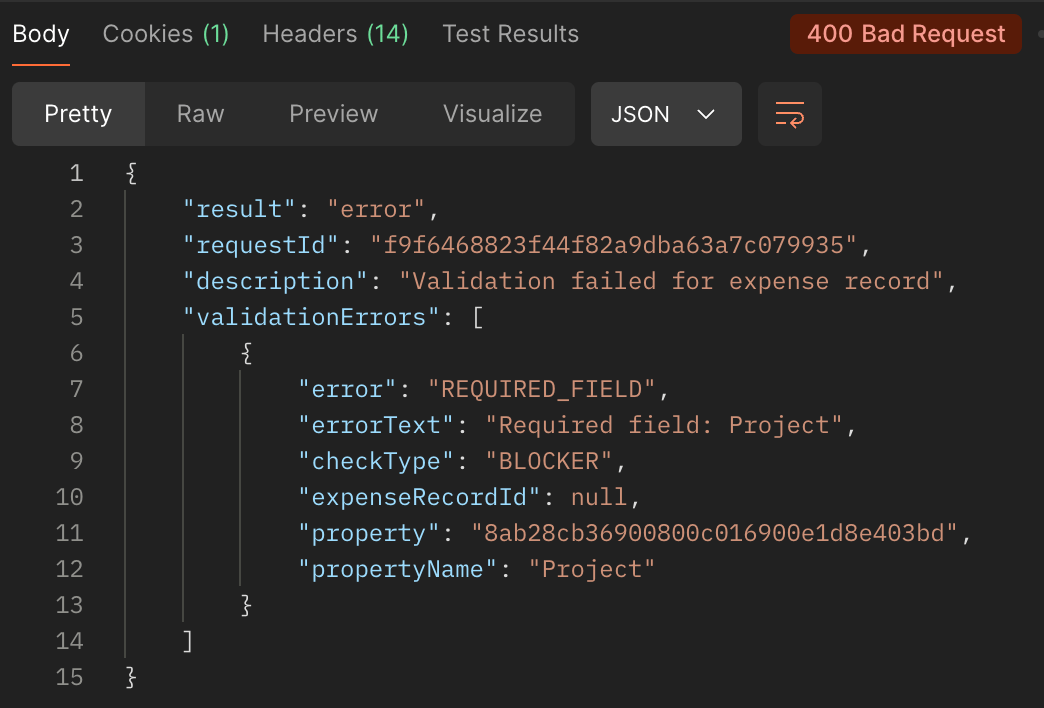 You can still save the mileage with the query parameter `forceSave:true`below is an example of how we give the choice to the user to save it anyway even though it gets a validation error and cannot be submitted until corrected.